 Memberium
This setting allows you to set a default prohibited action for pages that are not available to certain levels or that need certain tags to access.
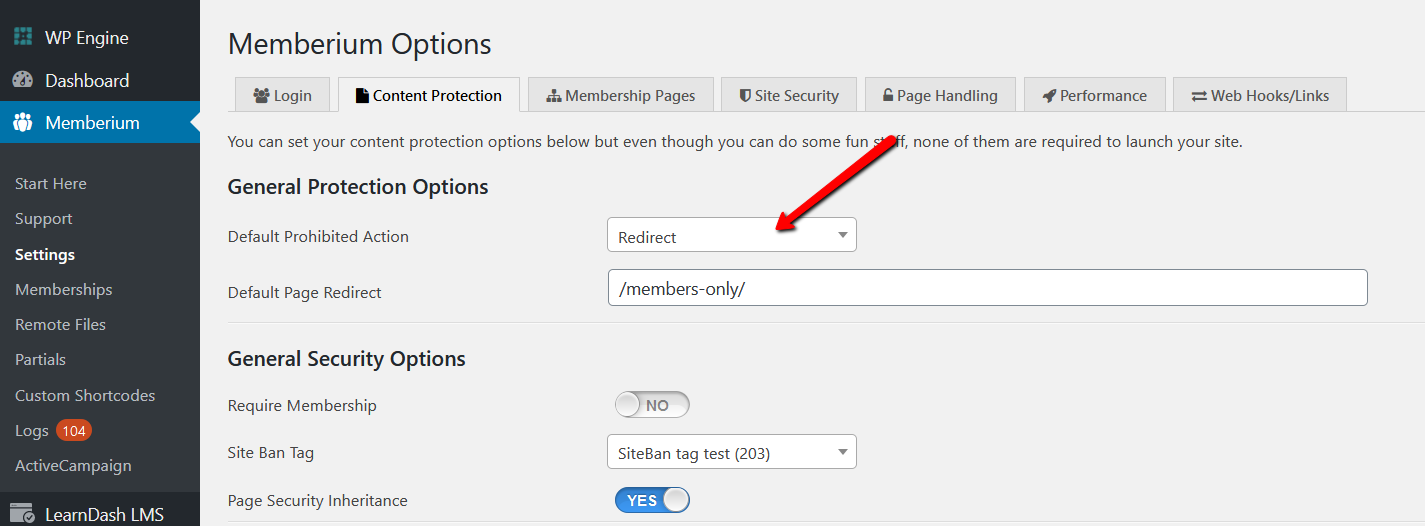
You can set the Default Prohibited Action from Memberium -> Settings -> Content Protection screen.
You can set the default to:
- Redirect: when a user attempts to view prohibited content it may redirect them to a sales page or a login page.
- Hide Completely: The page will show an error when accessed by someone without the permissions and will appear to not exist.
- Show Excerpt Only: You can show only special content in the “Excerpt” section. This could be a teaser or a signup form for example.
You can override this default easily on any page by simply setting a different prohibited action on that page or post.
Related Posts: