 Memberium
Description
This shortcode displays a form that lets the user add or update their credit card details. This shortcode needs to be used if you’re using MemberiumPay.
Shortcode Examples
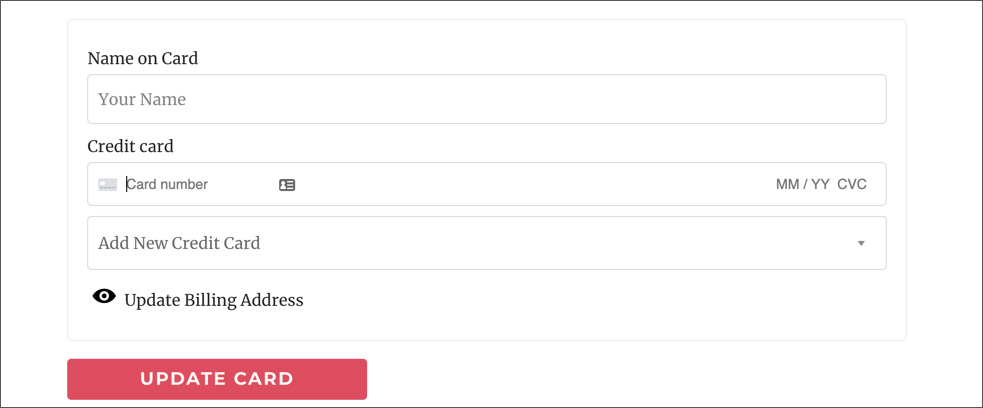
To show the add / update credit card form on the page, you’d need to use the shortcode like this:
[memb_update_cc_form]Here’s how the shortcode will look on the page:
Shortcode Parameters
redirect | The URL (slug) that is redirected to upon successful credit card update. Defaults to the current page. |
|---|---|
failure_keys | Single or csv string of Tag IDs added on fail removed on success. |
success_keys | Single or csv string of Tag IDs added on success. |
id | HTML ID for the main wrapper element. |
classname | HTML CSS class(es) for the main wrapper element. |
template | A different Template example : update-cc-form-custom.php. |
theme | A custom directory to look for the template in example : Style1. |
color__main | CSS Color example : #f00. |
color__accent | CSS Color example : #000. |
FAQ
When the card is updated, will this automatically update on active subscriptions?
Yes, only one card is used for Stripe and set as default. All subscriptions are created to use the Default card on account.
Will the failed payment automatically be collected?
Yes, it will be automatically collected. Once the card is updated, it will try to collect payment on all active subscriptions.
Is it possible to have more than one card active?
No, Memberium only maintains the last card that’s entered.
Can a card be deleted?
No, the card cannot be deleted but can only be updated with a new one.
Can we add a tag to the user once the card has been updated?
Yes, this can be achieved by using the “success_keys” parameter.
Is it possible to redirect a user after they update the card?
Yes, you can use the “redirect” parameter for this.