 Memberium
TutorLMS integration was added in Memberium for ActiveCampaign version 1.198 and later. Please update Memberium if you’re not seeing the integration.
TutorLMS and ActiveCampaign Integration
The benefit of integrating TutorLMS and ActiveCampaign is so you can automate certain actions based on the progress (or lack of progress) someone is making in a course.
- You can automatically enroll someone in a course after purchase or opt-in.
- You can apply a tag when a lesson is completed.
- You can apply a tag when a course is completed.
These are just a few examples and combined with the powerful automation engine in ActiveCampaign, you can build…
- Followup sequences to remind members to keep making progress
- Automation to sell the next course to a member automatically
- Systematize human intervention if a student/member stalls out in a course
- And much more…
TutorLMS Memberium Integration Box
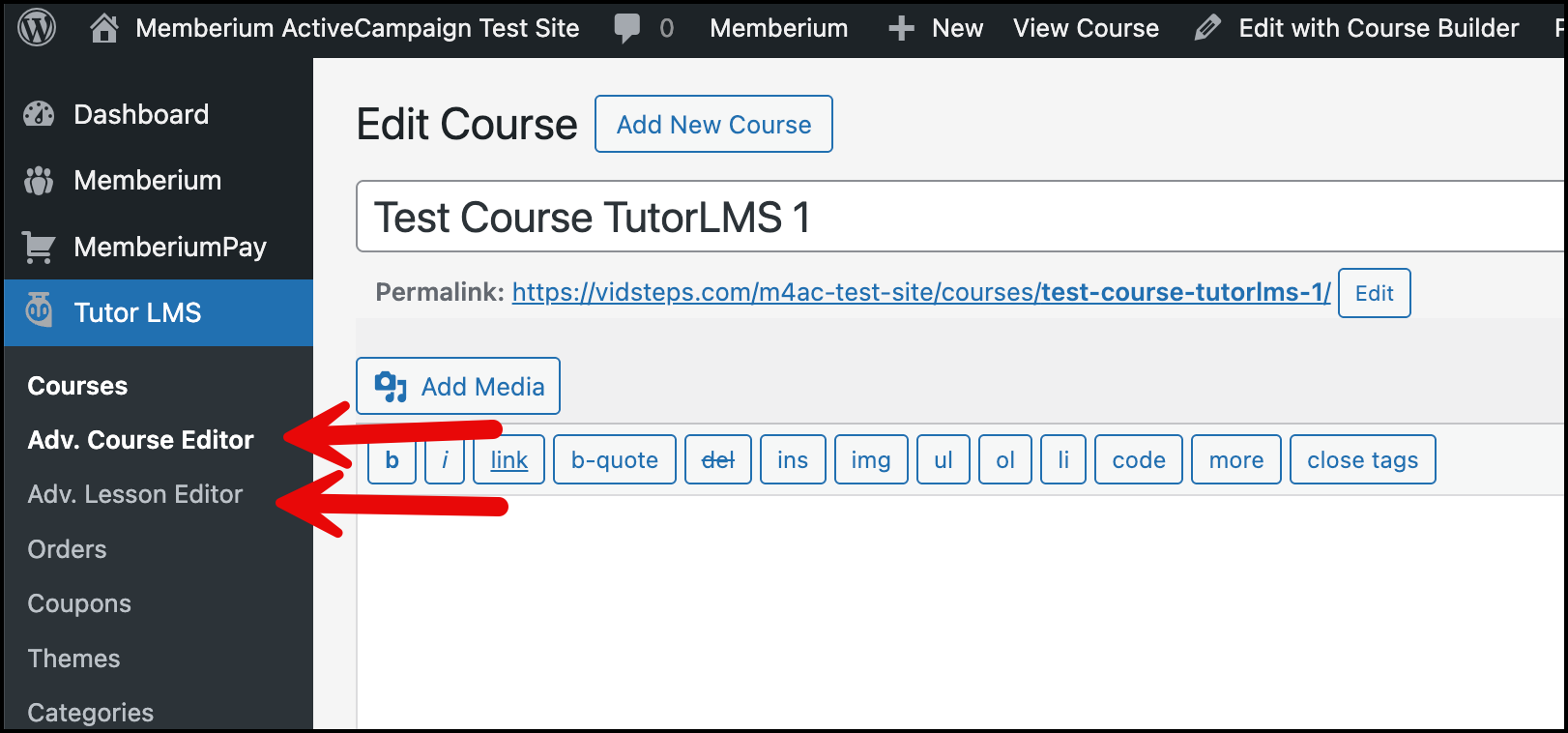
When you install TutorLMS on your site, Memberium will automatically see that it’s there and activate the TutorLMS Memberium integration. This will provide you with the integration settings box on your course admin pages.
Note: the Memberium integration box only appears on the “advanced course editor” and the “advanced lesson editor”. It won’t show up in the course builder.
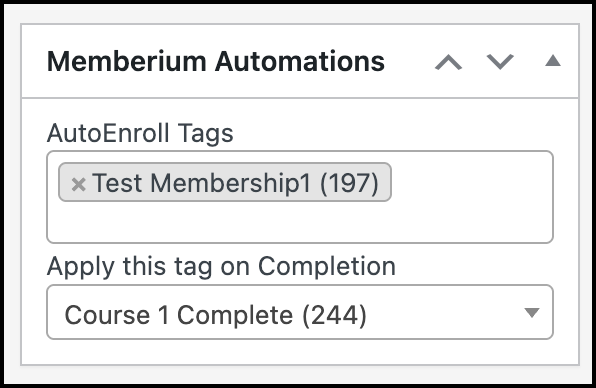 Apply this Tag On Completion
This setting designates a tag to be applied in ActiveCampaign when the course/lesson is completed.
AutoEnroll Tags (courses only)
Specify a list of tags that instructs Memberium to automatically enroll the member in the course if they have said tag.
Enrollment, Visibility, and Access
In most common WordPress elements (Pages, Posts, etc) access is controlled by Memberium’s access controls, which control the visibility of an item.
TutorLMS adds an additional concept called “Enrollment”. In order for someone to access a Course, it is not sufficient to give them “visibility” through Memberium; that only controls whether or not they can see the course. You must also enroll them in the course.
Memberium allows you set an “auto-enroll” tag which let’s you automate giving someone access to the course.
If they have the tag set in the auto-enroll box AND they have permission based on the Memberium Content Protection settings for the course, then they will be able to access the course.
This is the core integration that Memberium provides between TutorLMS and ActiveCampaign.
If you have any questions or feedback, please reach out to support@memberium.com and we’d be happy to assist!