 Memberium
The Active Child Tag setting is part of Group Accounts. It can be found by going to Memberium > Group Accounts.
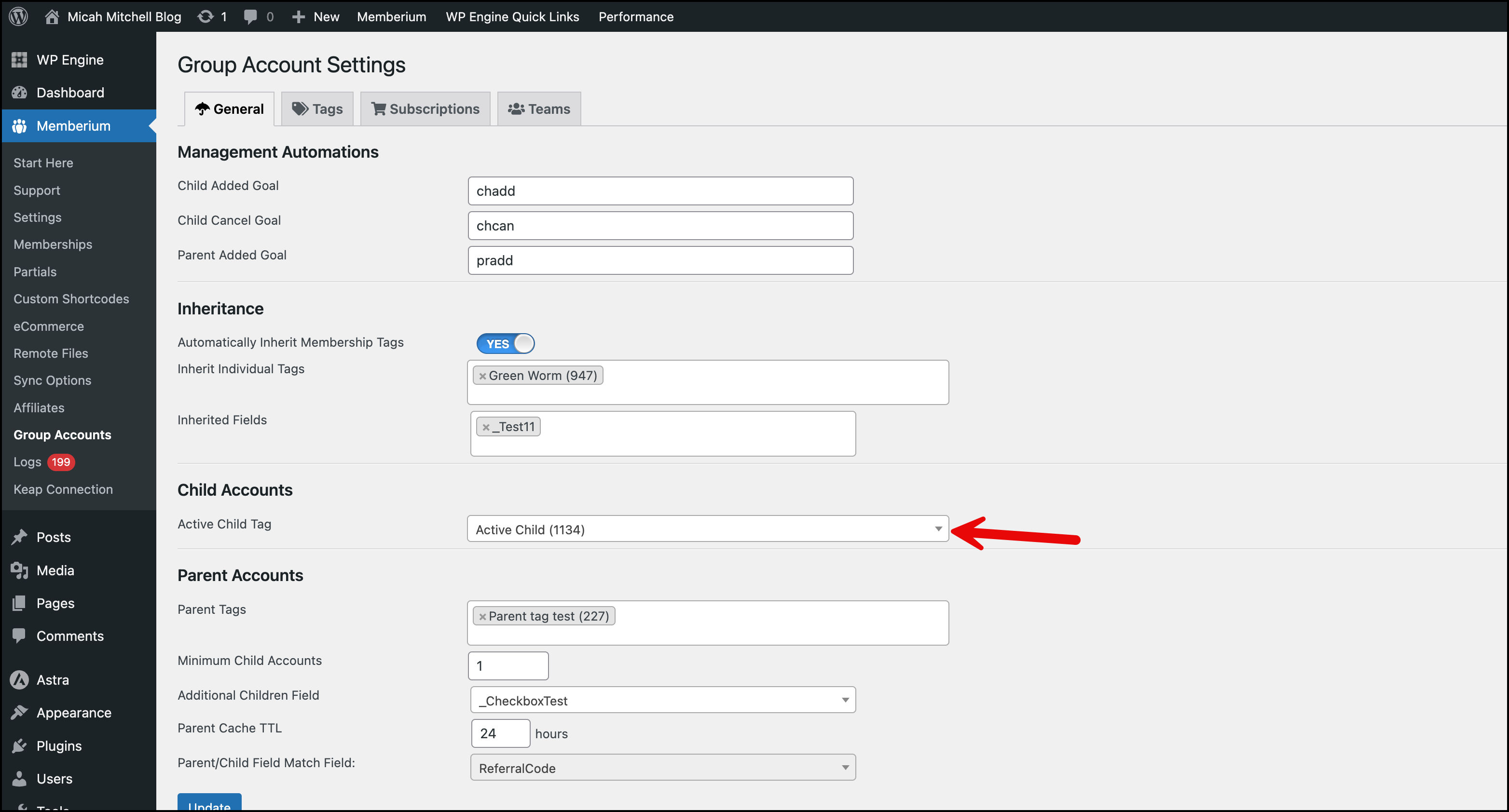
This option was added in Memberium 3.10. If you’re on an older version, you’ll need to upgrade to the latest version to get access to this.
Since Group Accounts is a PRO feature, if you’re on a Standard license and would like to upgrade, contact support and we will prorate your last payment and get you upgraded in minutes!
How Does Active Child Tag Work?
The way the parent -> child connection works within Memberium is that children inherit access from the parent. If the parent has “Membership A” then the child gets “Membership A”.
However, a part that has confused many is that Memberium does not actually apply access tags to the child contact record in Keap.
It’s possible that a child account has no tags inside of Keap. When a child logs into the site, Memberium checks to see what access they should have and then treats them as having that access (just like if they had the actual tags in Keap) but it does not apply tags in Keap.
This setting offers a way to actually apply a tag to a child contact record in Keap.
You should create a tag named “Active Child” or something similar to that and select that as the tag in the dropdown.
If the parent member has ANY active membership level on the site, all the children of that parent will get the Active Child Tag.
If the parent member loses access to their memberships (ALL memberships – NO active memberships), the tag will be removed from all the child accounts.
Why Do I Need Active Child Tag?
The main purpose behind this is for reporting and cleanup in Keap.
We’ve had many requests where people want a way to see what child accounts are actually active.
For those child accounts that are not active (i.e. their parent member cancelled or something), the child records can probably be deleted to lower the number of contacts being used in Keap.
It also helps with reporting to know how many active parents you have and how many active child/sub-accounts exist.
There may be many other use cases. The key idea is that you can now apply a tag directly to the contact record in Keap based on the parent being active or not.