 Memberium
Description
This shortcode integrates with Spiffy to provide a button that will email members an automatic Spiffy login link so they can update their payment details.
Shortcode Examples
Guide Available: For a detailed guide on how to use Spiffy with Memberium/Infusionsoft, follow this link.
Basic example:
[memb_spiffy_login]Login button with a custom button text and message:
[memb_spiffy_login button_text="Update Payment Details" message="A secure link has been sent to your email. Click that link to update your details."]
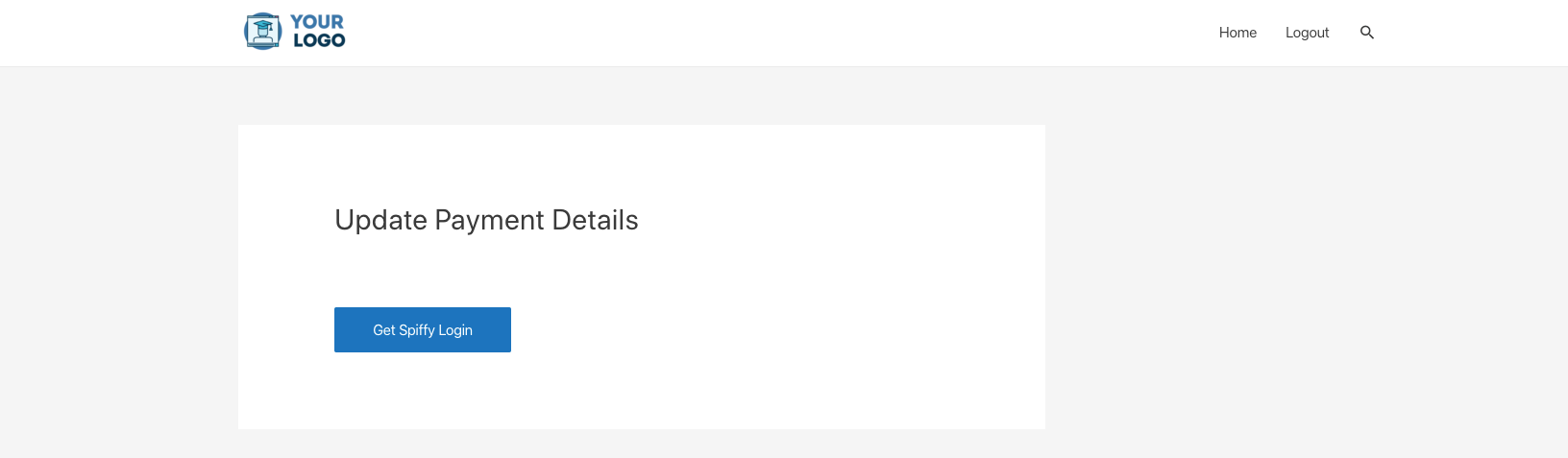
Screenshot of how it looks on a page:
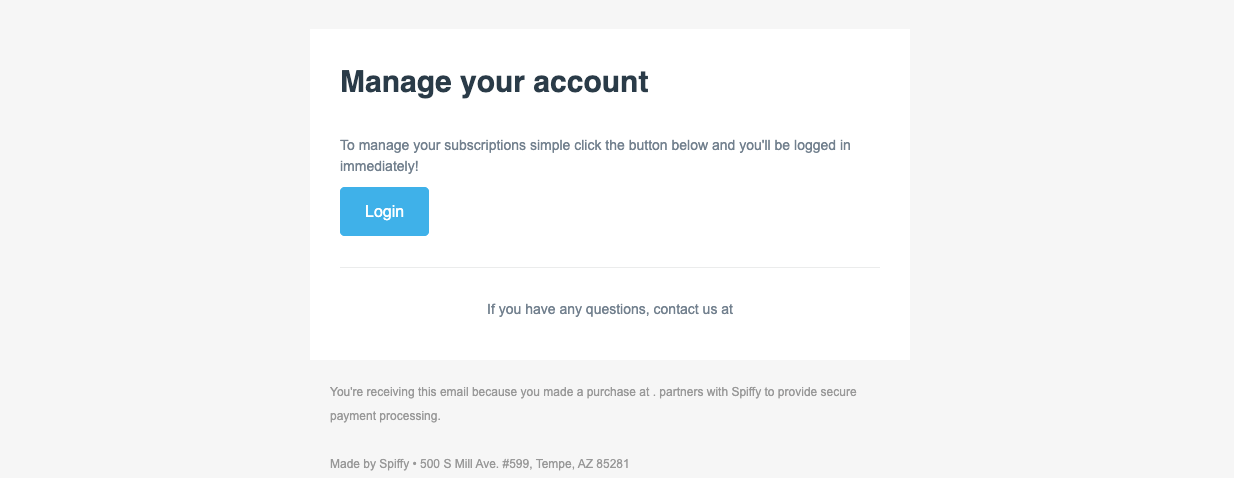
After clicking the button, the member will be sent an email from Spiffy with a magic login link:
Shortcode Parameters
button_text (optional) | Default button text is “Get Spiffy Login”. |
|---|---|
css_button_style (optional) | CSS style to apply to the button |
message (optional) | Change the message displayed after clicking the button. Default message is “Please check your email for your Spiffy login link.” |
Additional Information
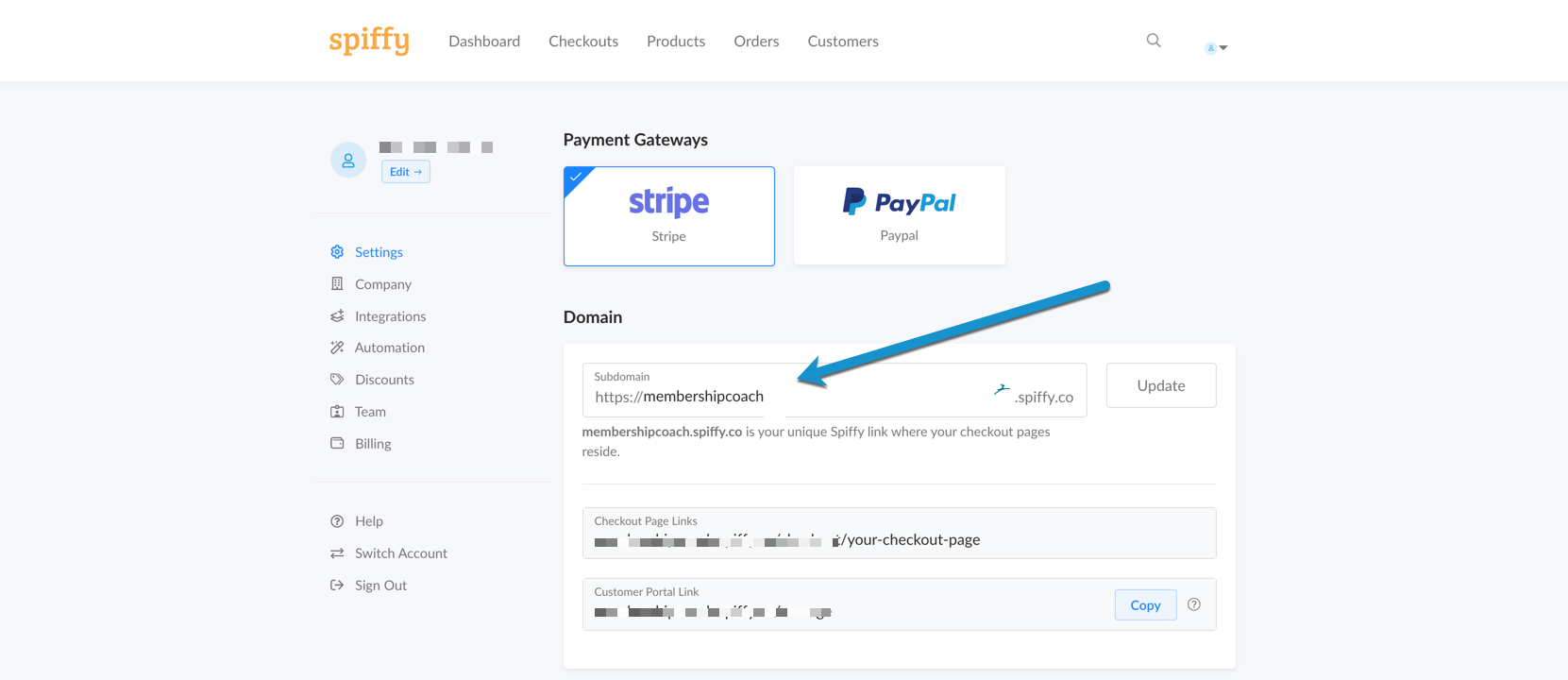
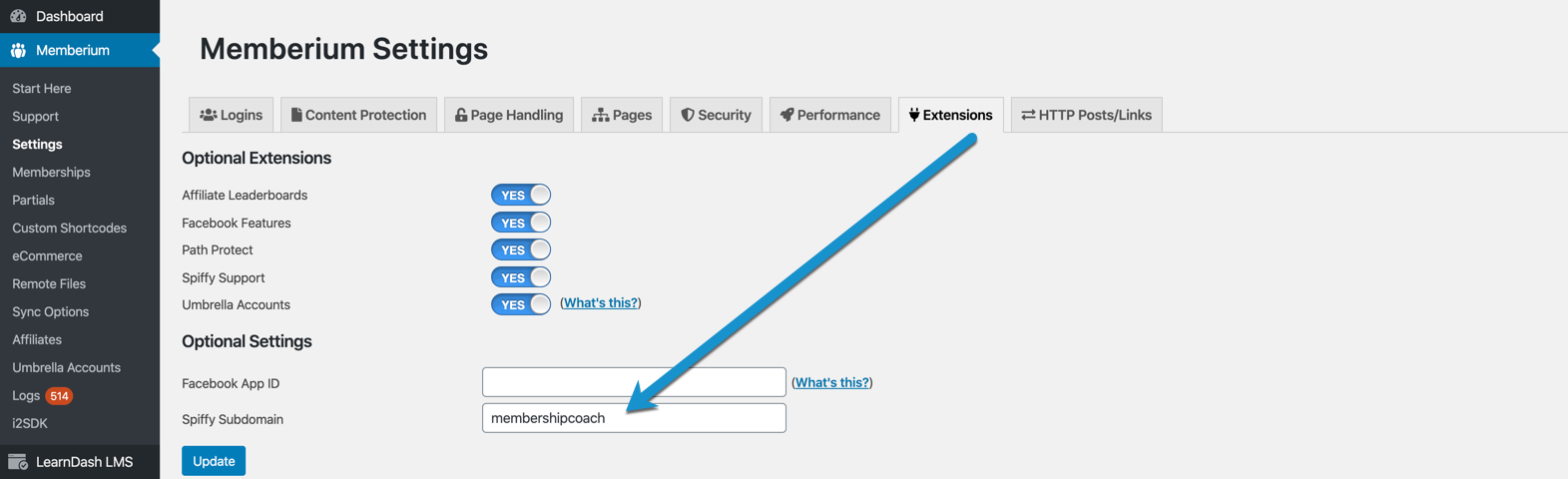
In order for the shortcode to work, you’ll need to supply Memberium with your Spiffy subdomain.
You can find the domain in your Spiffy account settings page here:
Once you have your subdomain, you’ll put that into the box on the Memberium > Settings > Extensions page as shown below:
Shortcode Attributes
| Conditional | No |
|---|---|
| Nestable | No |
| Accepts formatting | No |
| Capturable | No |