 Memberium
Description
This shortcode uses the built-in WordPress login form function to display a simple login form. You can style the login form using the standard WordPress CSS classes.
Shortcode Examples
This shortcode WILL NOT DISPLAY if you are already logged in or logged in as an admin!
[memb_loginform]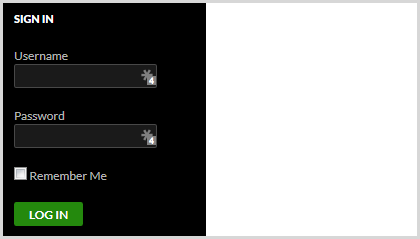
This is how the shortcode looks like with a redirect url and a show always parameter:
[memb_loginform show="always" redirect="/members/"]The above shortcode will display the login box even after the user has logged in. Once a user has logged in, it will redirect the user to http://www.yourdomain.com/members.
Customized Example Usage:
[memb_loginform username_label="Email Address" button_label="Login Now" password_label="Password"]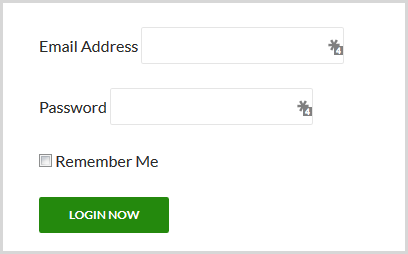
Shortcode Parameters
redirect | Specify a URL to go to after login, or {{current.url}} to return to the current page. By default, the member will be directed to the page as specified in the membership level, or the home page if no page is specified by their membership. |
|---|---|
form_id | default = ‘loginform’ |
username_label | default = ‘Username’ |
password_label | default = ‘Password’ |
remember | yes/no – default = ‘no’ |
remember_label | default = ‘Remember Me’ |
button_label | default = ‘Log In’ |
show | default = ‘never’ |
Additional Information
See this video guide on how to create a custom branded login page using a prebuilt Memberium page template.
FAQ
How Can I Add a Custom Failed Login Message?
By default, Memberium will display a “Login Failed” message if the user enters incorrect login details.
As of now, this message cannot be changed, but you can add an additional message.
For this, you’d use the [memb_if_get] shortcode. You would place this shortcode above your [memb_loginform] shortcode. Here’s an example:
[memb_if_get key=login test="=" value=failed]
Put the message you want to display here
[/memb_if_get]
[memb_loginform]
Shortcode Attributes
| Conditional | No |
|---|---|
| Nestable | No |
| Accepts formatting | No |
| Capturable | No |